OpenID Connect authentication flows
This page shows how to run each of the six OpenID Connect authentication flows the debugger supports, and how to make the access token sender-constrained with DPoP.
OpenID Connect is a sign-in layer on top of OAuth 2.0. Its flows are OAuth 2.0
authorization requests that ask for the openid scope, and they return an
ID token: a signed statement from the provider about who signed in, and
when. The flows differ only in which artifacts come back from the
authorization endpoint (on the browser redirect) and which come from the token
endpoint (on a server-to-server call).
The steps shared by every flow (loading the metadata, the configuration pane, the token request fields and the results panes) are on Using the OAuth2 / OIDC workflow. The OAuth 2.0 grants, including Refresh Token and Token Exchange, are on OAuth 2.0 authorization grants.
- OpenID Connect authentication flows
Which flows are supported
Each flow is named after the response_type it sends:
| Flow | response_type |
From the authorization endpoint | From the token endpoint | Choose in Authorization Grant |
|---|---|---|---|---|
| Authorization Code | code |
code | access token, ID token (and refresh token) | OIDC Authorization Code Flow(code) |
| Implicit | id_token token |
ID token, access token | (no token request) | OIDC Implicit Flow(id_token token) |
| Implicit, ID token only | id_token |
ID token | (no token request) | OIDC Implicit Flow(id_token) |
| Hybrid | code id_token |
code, ID token | access token, ID token | OIDC Hybrid(code id_token) |
| Hybrid | code token |
code, access token | access token, ID token | OIDC Hybrid(code token) |
| Hybrid | code id_token token |
code, ID token, access token | access token, ID token | OIDC Hybrid(code id_token token) |
Use the Authorization Code flow unless you are testing something that
needs one of the others. Anything returned on the redirect travels in the URL
fragment, where browser history, extensions and logs can see it. RFC 9700
advises against returning access tokens that way and against the Implicit
flow altogether. If you turn on RFC 9700 compliance mode, the
Authorization Grant list disables both Implicit flows and the two Hybrid
flows that return an access token (code token and code id_token token).
Three things every flow has in common
- Include
openidin the scope. Without it the provider treats the request as plain OAuth 2.0 and returns no ID token.profileandemailadd the corresponding claims. - A nonce is sent on every request. The Nonce field is generated for
you, and the provider must copy it into every ID token it issues for that
request. Open the ID token’s detail page (click ID Token in the results)
to compare its
nonceclaim with the one you sent. A mismatch means the token was not issued for this request. - The ID token is for the client, not for APIs. Its audience (
aud) is your client ID. To call an API, use the access token.
Authorization Code flow
The provider returns only a code on the redirect. The debugger exchanges it at the token endpoint for an access token and an ID token. No token passes through the browser’s address bar.
Steps
Step 1 page
- Load the provider’s metadata, as described in Step 1: load the provider’s metadata.
- Set Authorization Grant to OIDC Authorization Code Flow(code), and leave Use PKCE at Yes.
-
In Request Authorization Code, enter the Client ID, the Redirect URL (
https://localhost:3000/callback) and a Scope that includesopenid. Check that Request showsresponse_type=codeand anonce.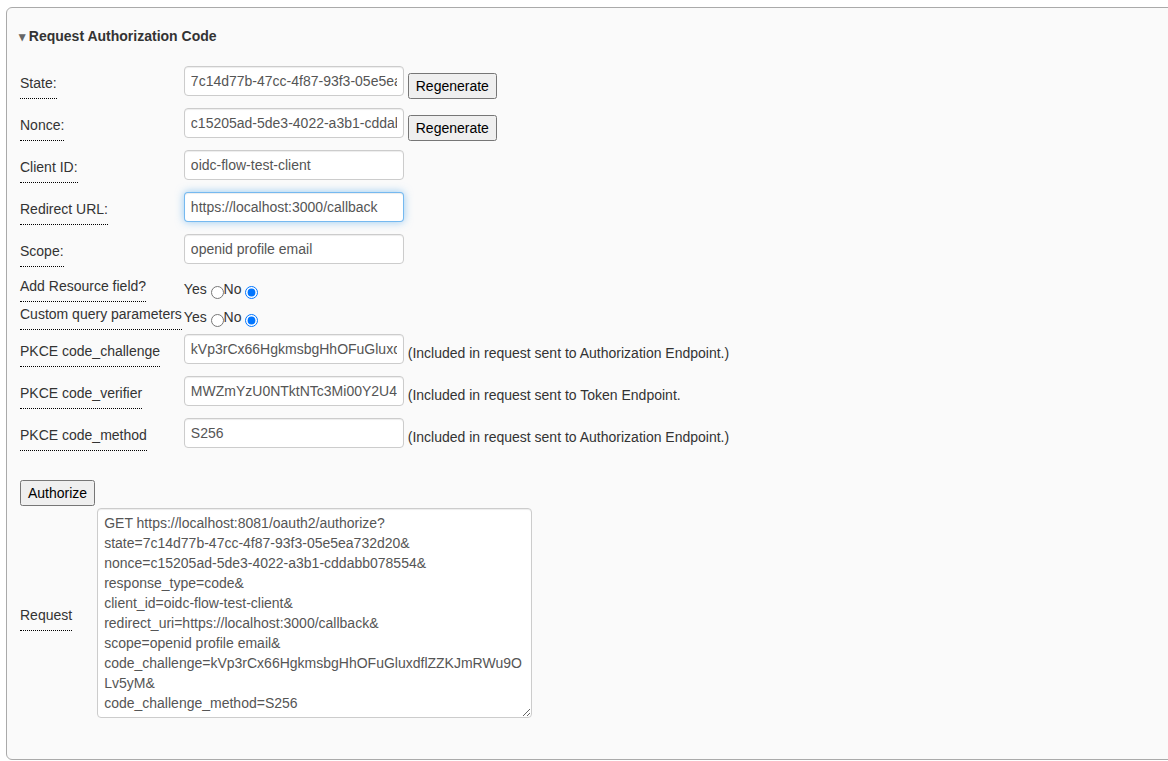
- Click Authorize.
At the provider
- Sign in.
-
The first time a person signs in to a client, many providers ask them to approve the scopes. Click Allow. (Deny sends the error
access_deniedback to the debugger.)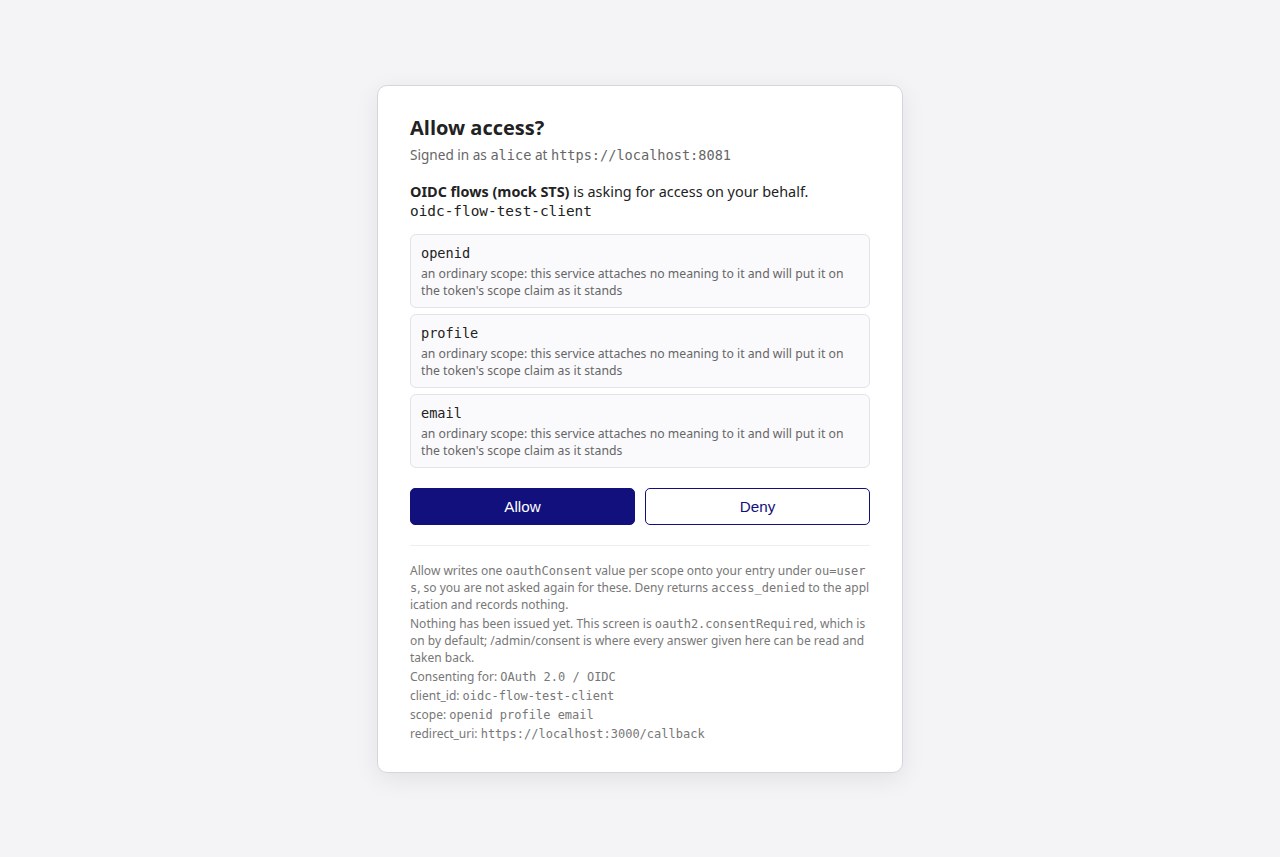
Step 2 page
-
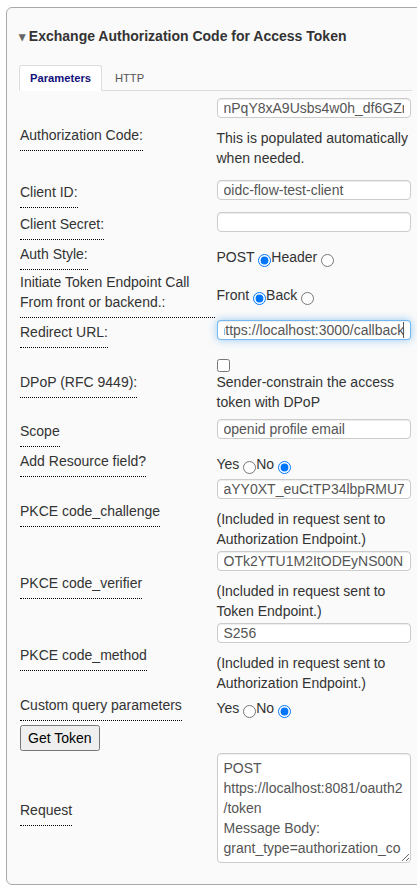
The code is already in Exchange Authorization Code for Access Token. Check the Client ID and Redirect URL, add the Client Secret for a confidential client, and click Get Token.
What you should see
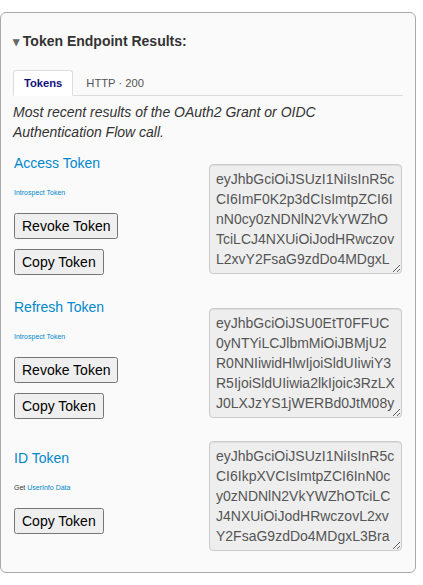
Token Endpoint Results shows the access token, the ID token, and a refresh token if the provider issued one. Get UserInfo Data under the ID token calls the UserInfo endpoint with the access token, which returns the profile claims the scopes asked for.
Implicit flow (id_token token)
The provider returns the ID token and an access token directly on the redirect, and there is no token request. This flow is for testing older single-page applications.
Steps
- Load the provider’s metadata.
- Set Authorization Grant to OIDC Implicit Flow(id_token token).
-
In Request Access Token, enter the Client ID, Redirect URL and a Scope with
openid. Request showsresponse_type=id_token tokenand a nonce. The nonce is required for the Implicit and Hybrid flows.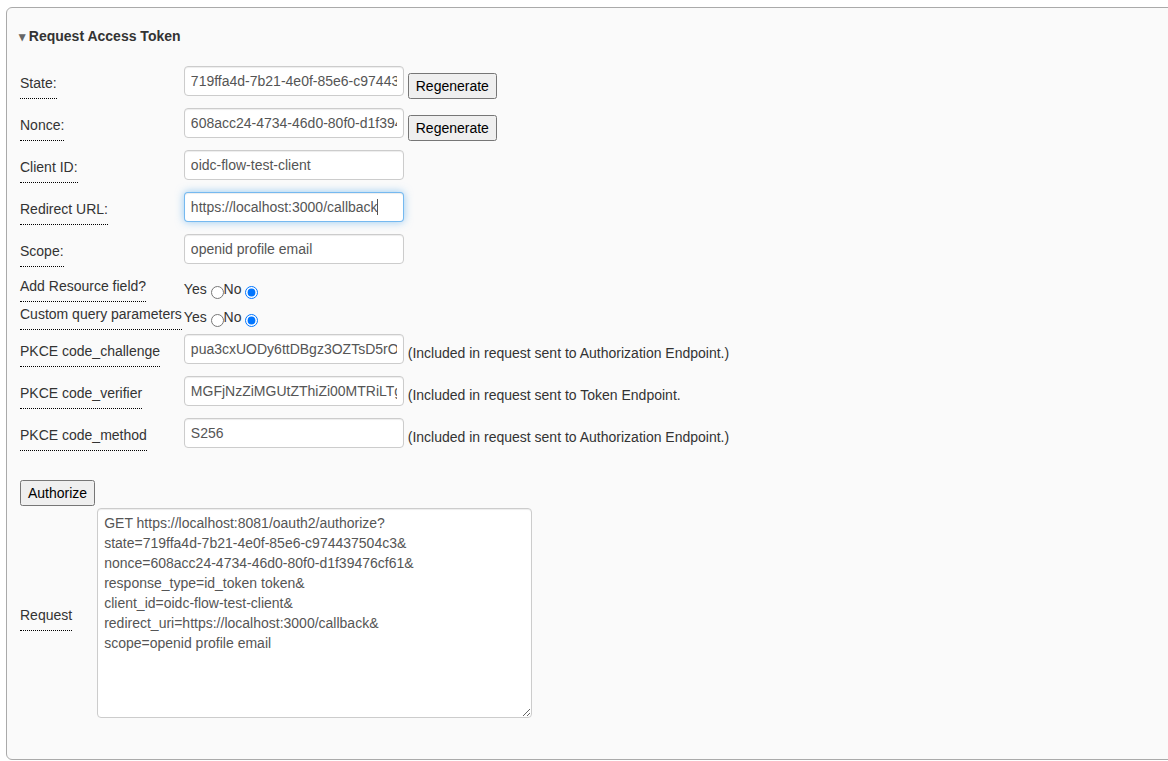
- Click Authorize, then sign in (and allow access if asked).
What you should see
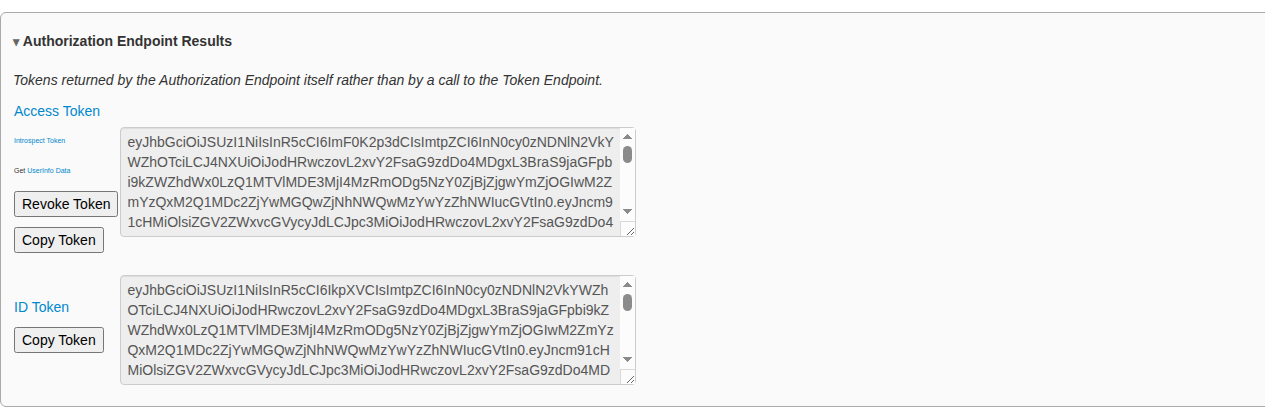
The step 2 page opens with both tokens in Authorization Endpoint Results. There is no refresh token, because refresh tokens only come from the token endpoint.
Implicit flow (id_token)
Only an ID token comes back, on the redirect. Use it when the client only needs to know who the person is and will not call any API.
Steps
The same as the Implicit flow above, with Authorization Grant set to OIDC Implicit Flow(id_token).
What you should see
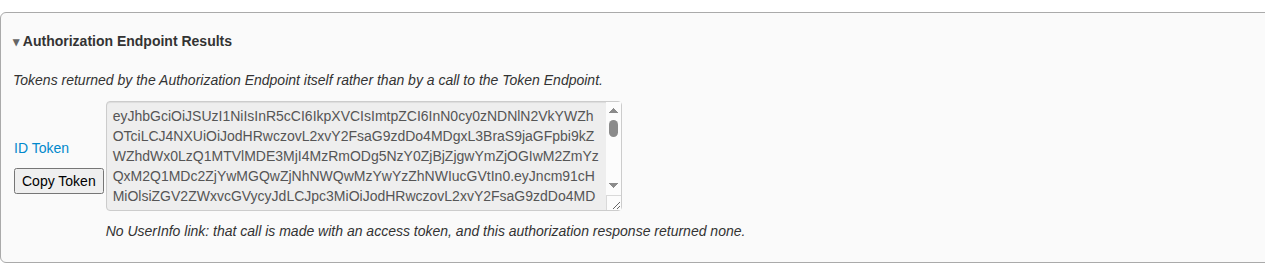
Authorization Endpoint Results shows only the ID token. The pane explains that there is no Get UserInfo Data link: UserInfo needs an access token, and this flow returned none.
The Hybrid flows
The Hybrid flows return a code and one or two tokens on the redirect. The client can use the front-channel tokens straight away (for example, to show who signed in), then exchange the code at the token endpoint for tokens it can trust more. The steps are the same for all three; only the selected flow and what comes back differ.
Steps
- Load the provider’s metadata.
- Set Authorization Grant to one of the three OIDC Hybrid options.
- In Request Authorization Code, enter the Client ID, Redirect URL
and a Scope with
openid. Check theresponse_typein Request. - Click Authorize, then sign in (and allow access if asked).
- On step 2, read the tokens in Authorization Endpoint Results.
- The code is already in Exchange Authorization Code for Access Token. Click Get Token to exchange it.
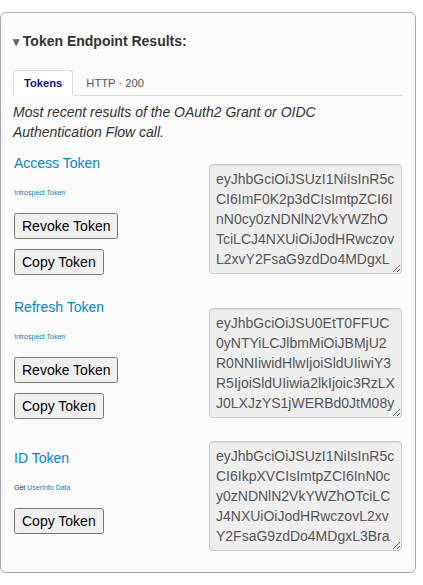
The token endpoint returns a fresh access token and ID token. OpenID Connect
requires both ID tokens to have the same issuer (iss) and subject (sub).
Open each one’s detail page to compare them.
Hybrid flow (code id_token)
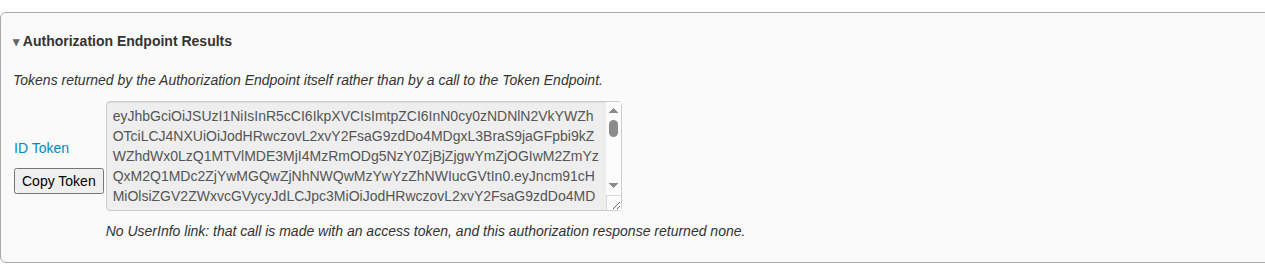
The redirect carries the code and an ID token. The ID token includes c_hash,
a hash of the code, which ties the two together.
Hybrid flow (code token)
The redirect carries the code and an access token, and no ID token. The ID token comes only from the token endpoint.
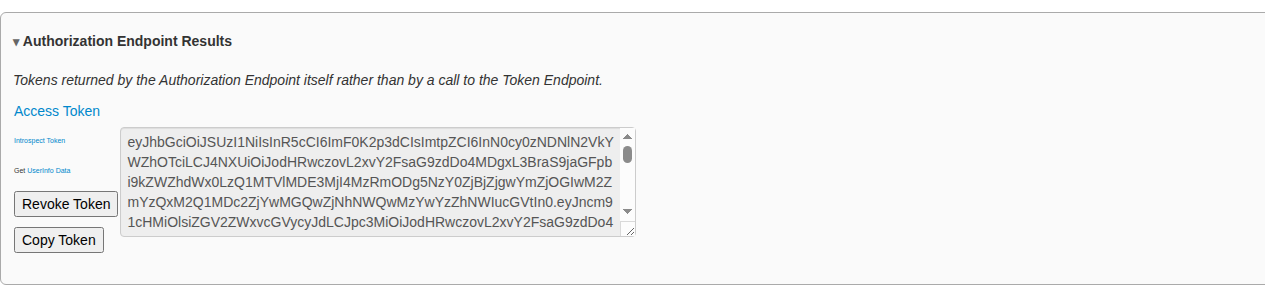
Hybrid flow (code id_token token)
The redirect carries all three. The front-channel ID token includes both
c_hash (for the code) and at_hash (for the access token).
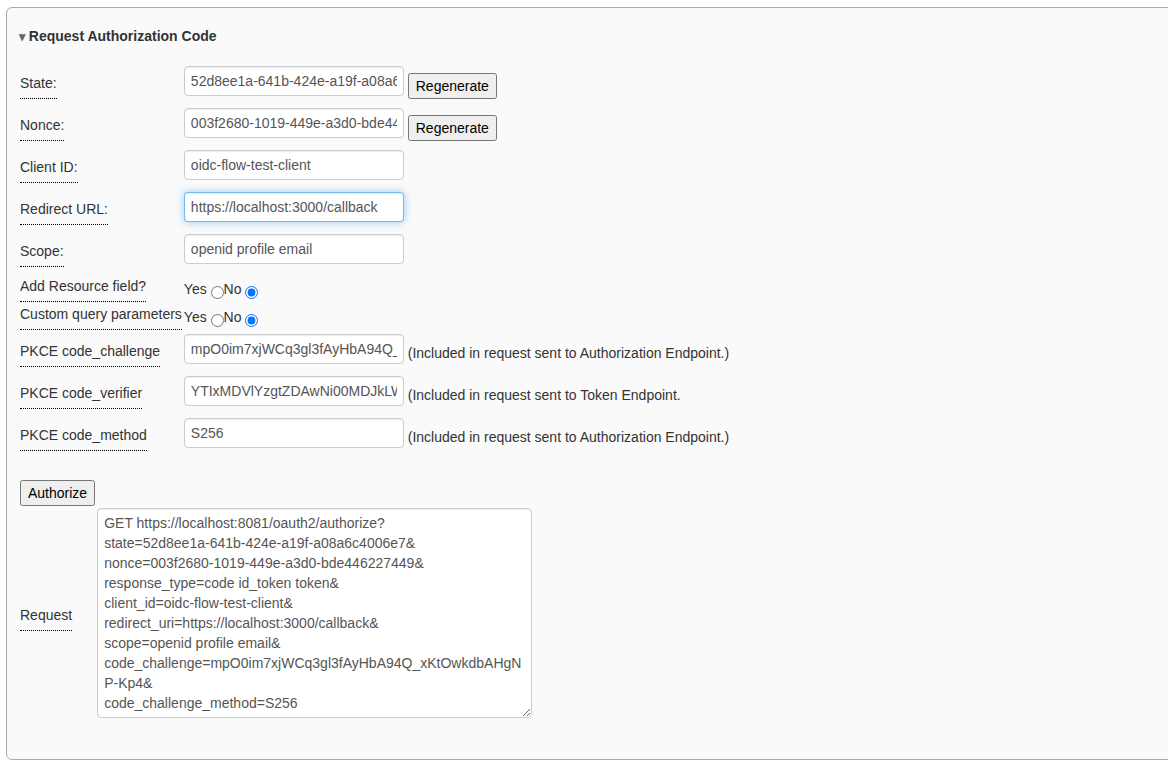
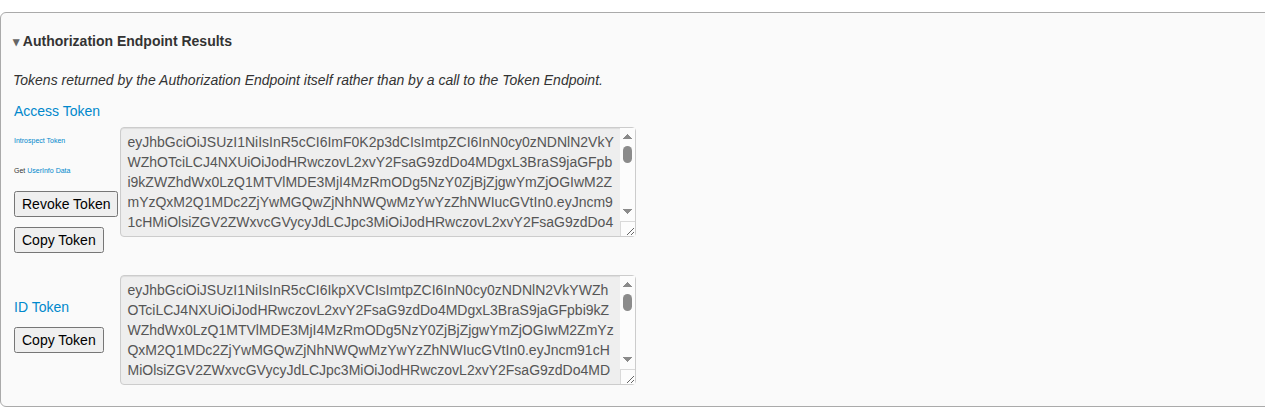
After Get Token, Token Endpoint Results shows the second set:
Sender-constrained tokens with DPoP
An ordinary access token is a bearer token: whoever holds it can use it. DPoP (RFC 9449) binds the token to a key pair that the debugger page holds. Each request that uses the token must carry a fresh proof signed with that key, so a stolen token is useless on its own.
DPoP is off by default. It works with every flow that has a token request (the Authorization Code and Hybrid flows), and with the token-endpoint grants on the OAuth 2.0 page.
Steps
-
Open the step 2 page (
https://localhost:3000/oauth2_oidc_2.html) before you start the flow. In the token request pane, tick DPoP (RFC 9449). A key pair is generated, and its thumbprint is shown as jkt. Click Generate Key Pair if you want a new one. Until a token has been requested, the pane says No token has been requested with this key yet.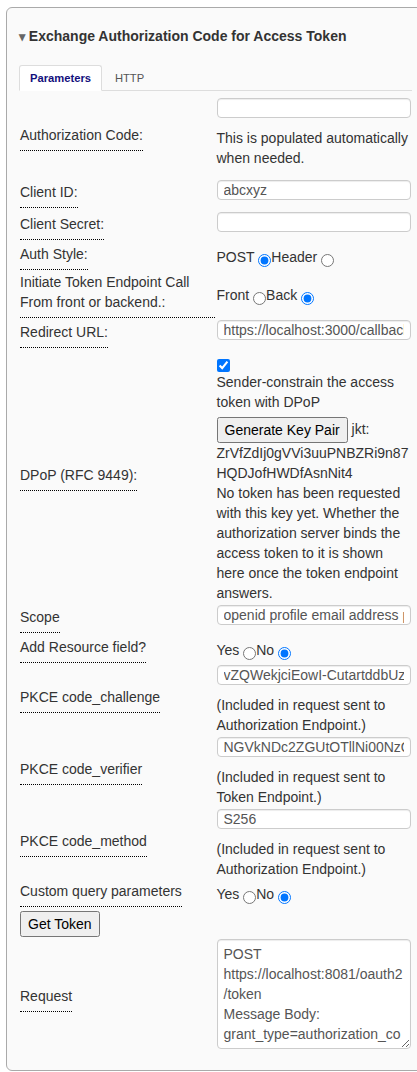
- Go back to step 1 and run the flow as usual. With DPoP on, the
authorization request also carries
dpop_jkt, the key’s thumbprint, which binds the code to the key as well. -
On step 2, set Initiate Token Endpoint Call to Front before you click Get Token. The proof is made in the browser, so it can only be sent with a request the browser makes. The DPoP row confirms that the authorization request carried
dpop_jkt, so the code is bound to the key.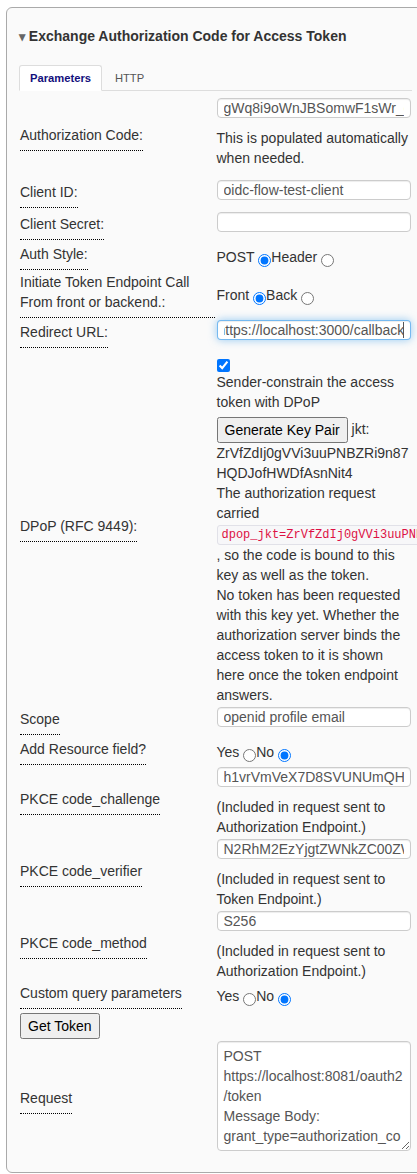
Turn DPoP on before the authorization request. If you generate a new key after the code was issued, the provider will refuse to redeem the code, because it is bound to the old key; start the flow again.
What you should see
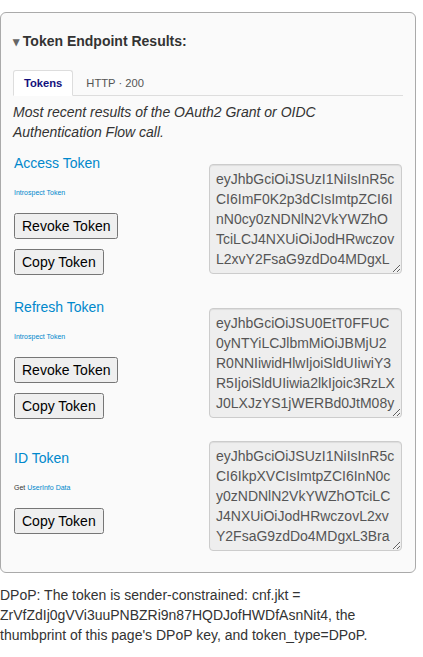
Below Token Endpoint Results, a line reports the binding. The token is
sender-constrained: cnf.jkt = … means the provider bound the token to this
page’s key, and the token’s token_type is DPoP rather than Bearer.
The two other results are problems with the provider, not with the debugger:
- …came back with no cnf.jkt: the provider ignored the DPoP proof and
issued an ordinary Bearer token. Check that it advertises
dpop_signing_alg_values_supportedin its metadata. (Keycloak needs to be started with--features=dpop.) - …bound to …, which is NOT this page’s key: the provider bound the token to a different key.
With the two Implicit flows, DPoP has nothing to bind: their tokens come from the authorization endpoint, which never sees a proof. The DPoP pane says so.
Related
- Using the OAuth2 / OIDC workflow: the common steps and panes.
- OAuth 2.0 authorization grants: the underlying grants, plus Refresh Token and Token Exchange.
- RFC 9700 compliance mode.
- The mock STS’s Configuring OpenID Connect flows: how to set up the other side.